
Useful Gear · Scenario guide
Your PetSafe Smart Feed is offline. Who checks the bowl?
If only the internet drops, a PetSafe Smart Feed that still has power keeps dispensing scheduled meals.
 By Marcus Reed, Editor · 2 min read · Published · Updated
First, identify the feeder
If only the internet drops, a PetSafe Smart Feed that still has power keeps dispensing scheduled meals. If the power goes out, it stops feeding unless backup D-cell batteries are installed, which PetSafe says can keep scheduled feedings going for up to seven days. Before troubleshooting anything, confirm which unit sits on your kitchen floor. The PetSafe Smart Feed Automatic Dog and Cat Feeder, 2nd Generation holds 24 cups of dry or semi-moist food and schedules up to 12 meals a day, in portions from 1/8 cup to 4 cups.
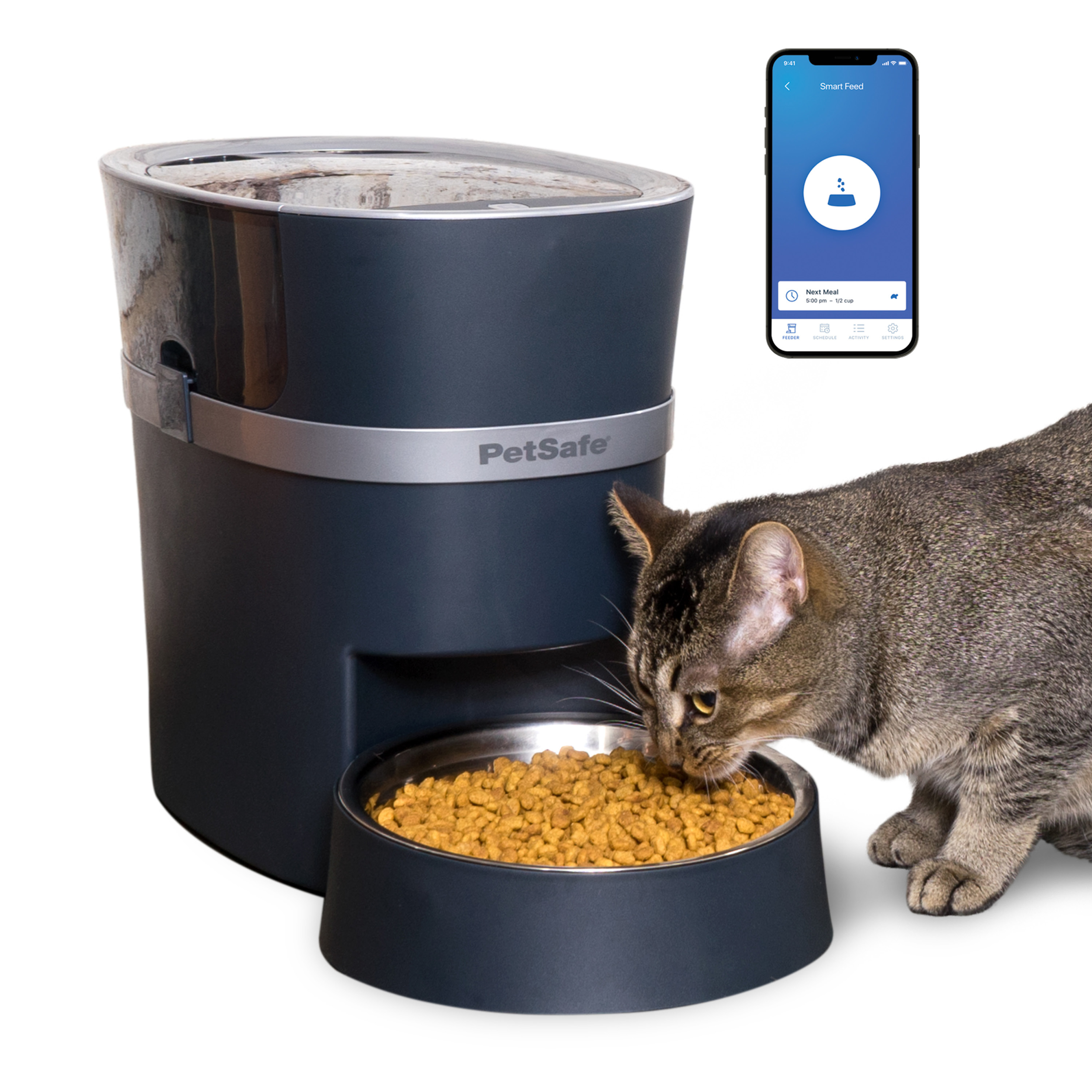
PetSafe’s setup guide says its instructions apply to both the 1st and 2nd generation Smart Feed unless it says otherwise, though two details differ: you press the switch line to turn on the Smart Feed 1.0 after you plug it in, and Amazon Dash Replenishment setup only works on the 2nd generation. If the unit isn’t labelled anywhere you can find, ask PetSafe customer care how to identify the generation, with the serial number and app details available. The feeder connects over a 2.4GHz wireless network and pairs with the My PetSafe app on iPhone or Android.
It runs on AC power through a wall adapter, with four D-cell batteries as an optional backup source you buy separately.
Agree on who has the app installed and who checks it daily. The product page notes that multiple family members can each download the My PetSafe app and access the same feeder, so more than one person can confirm a feeding went through. Check the phones before you divide the job. The product page lists iOS 12.0 or later and Android 9.0 or later, while the setup guide still lists iOS 9.0 or later and Android 5.0 or later. Those two pages disagree, so if a phone is older, test it against the app before you count on it working.

Decide now, before anything goes wrong, whether that’s one designated person checking each morning or a rotating job between household members.
Write down the model name, whether it’s 1st or 2nd generation, and which phone has the app installed. Tape that note near the feeder or save it in a shared household note.
When the feeder’s light starts flashing or a meal doesn’t dispense, having that information ready beats hunting for it while the bowl sits empty.
Does the Smart Feed still feed when it is offline?
A flashing light on the feeder means it has lost its wireless connection, but scheduled meals still dispense as programmed as long as the unit has power. That’s the first thing to confirm and the least urgent to fix: the pet still eats on schedule even while the feeder shows offline.
Getting the connection back involves a short sequence of checks. According to PetSafe’s offline feeder support article, the steps include:
- Verify your home internet is working; if other devices have also lost connection, reset the router or contact your internet service provider.
- Reboot the feeder itself.
- Uninstall the My PetSafe app, restart your phone, then reinstall the app.
- Confirm the feeder is connected to a 2.4GHz network and hasn’t switched to a 5GHz one.
- Remove Wi-Fi extenders or mesh network devices from the equation if possible.
- Separate the Wi-Fi bands on a dual-band router so the feeder only sees the 2.4GHz signal, contacting your router manufacturer or provider for help if needed.
Give this checklist to one household member so it doesn’t fall to whoever happens to notice first. A factory reset is listed as a further step in the same article, but because it erases all settings and programming, save it for last, after the earlier checks.

Whoever checks the app regularly should also glance at the physical feeder, since the light pattern shows the connection status even when the app is slow to update. PetSafe lists low and empty food sensors that notify your smartphone when the hopper is running low or out of kibble, but an offline app doesn’t confirm how much food is physically in the hopper.
What happens to the Smart Feed in a power outage?
A feeder with no power will not dispense any scheduled meals, whether or not it’s connected to Wi-Fi. This is the scenario that actually stops food from coming out, and it deserves a different response than a Wi-Fi dropout.

The feeder plugs in via an AC wall adapter as its primary power source. PetSafe’s setup guide describes an optional backup: four D-cell batteries installed in the battery compartment, which the manufacturer states can maintain regularly scheduled feedings for up to seven days if the power goes out.
Decide as a household whether those batteries stay loaded year-round or only during storm season. Whoever restocks the pantry or checks smoke detector batteries is often a reasonable person to also check the feeder’s battery compartment, since it’s the same kind of periodic task.
If you find the feeder unplugged or the outlet dead, check the wall adapter connection first before assuming a bigger problem. A tripped outlet, a loose plug, or a power strip that’s switched off can look identical to a feeder malfunction from the outside.
Keep a spare set of D-cell batteries right next to the feeder, somewhere you’d actually reach for them without thinking. During an actual outage, nobody wants to search the house while a pet waits by an empty bowl.
Write a three-line fallback
A short, posted note solves the confusion that happens when two people both assume the other one checked the feeder. Three lines, taped near the feeder or saved in a shared phone note, cover the two failures worth planning for:

- Feeder light flashing, no internet: scheduled meals still dispense if the unit has power; check the router and reboot the feeder following PetSafe’s offline troubleshooting steps.
- No power at all: check the wall adapter and outlet first, then confirm whether backup D-cell batteries are installed and functioning.
- Neither fix works within an hour: whoever finds the problem feeds the pet manually and logs the time, then the other household member takes over monitoring.
This is an organizational suggestion for households sharing feeder duties, not a manufacturer-recommended procedure, meant to remove ambiguity about who acts and when.
Keep the note specific to your setup. State whether your feeder is the 1st or 2nd generation model, and say directly if only one person has the My PetSafe app installed, since people forget details they didn’t write down.
Post the note somewhere visible, like a magnet on the refrigerator or a card taped to the wall near the feeder. That works better than a message buried in a group chat thread from three weeks ago.
Revisit the note every few months. Feeding schedules change, people move, and a note written when you first set up the feeder may not reflect who’s actually home to check it now.

Do not reset away the evidence
A factory reset should wait until you have exhausted other troubleshooting steps, because it erases all settings and programming on the feeder. If you’re trying to figure out what went wrong, such as a missed meal, an odd feeding time, or a schedule that didn’t hold, resetting the unit before checking the app’s history removes information you might need.
PetSafe’s offline support article lists factory reset last, after the router, reboot, app and band-separation steps, and states directly that it will erase all settings and programming. Rebuilding a 12-meal schedule afterward is on you, which is the practical reason to work through the earlier steps first.
Before resetting anything, check the My PetSafe app for its feeding log or history, if your generation of feeder displays one. Note down the last few scheduled times and whether they show as completed. This gives you something concrete to reference if you contact PetSafe customer care afterward, better than trying to recall from memory when the bowl last had food in it.
The person who manages the feeder’s app should hold reset authority. Being nearest the flashing light isn’t a good enough reason to hand someone that decision. This keeps one person accountable for re-entering the feeding schedule correctly afterward, and it keeps two household members from resetting the unit independently and duplicating the same troubleshooting steps.